Case study
WaveWise
AI-powered beach safety assistant
WaveWise is a chat assistant that answers questions about any beach using live wave, wind, tide and weather data, with safety and surf ratings tailored to your skill level.
- Stack
- Next.js
- TypeScript
- Claude API
- Leaflet
Where it started
WaveWise started as a design proposal in Human-AI Interaction (INFO 693), a course in my Master's in Human-Computer Interaction at Drexel University. I then built it out as a working prototype. The proposal was written around GPT-4; for the build I used Claude, with tool use to pull in live ocean data.
How it works
You pick a skill level (beginner, intermediate or advanced) and ask about a beach in plain language, like "Is it safe to swim at Malibu Beach right now?" Behind the chat, a Next.js API route (POST /api/chat) runs Claude with one tool: get_beach_conditions.
Claude decides when it needs data. When a question depends on current conditions, Claude calls the tool with the beach name and your skill level. General questions, like how to escape a rip current, are answered without a lookup.
Find the beach. Nominatim, OpenStreetMap's geocoder, turns the beach name into coordinates.
Pull live data in parallel. Four requests run at once: current waves and swell from the Open-Meteo Marine API, a 3-day wave forecast from Open-Meteo, wind, UV, visibility and weather from OpenWeatherMap, and the next high and low tide from the nearest NOAA tide station.
Rate the conditions with rules. Thresholds based on USLA lifeguard guidance and National Weather Service rip current criteria set the rip current risk (Low, Moderate or High), an overall safety rating (Safe, Caution or Dangerous) and a surf quality rating for each skill level (Poor to Epic). The forecast is also scanned for up to three upcoming good surf windows.
Claude explains it. The results go back to Claude as a structured report, converted to feet and mph, and Claude's answer streams into the chat as it's written.
Why the AI doesn't make the safety call
WaveWise doesn't ask the model to judge whether the water is safe. The ratings come from fixed rules that can be checked and explained, and Claude's job is to explain them in plain language for your skill level. Its instructions tell it to put safety first, be direct when conditions are dangerous, explain why a rating is what it is, always mention rip current awareness, and lean toward caution when data is missing.
The interface
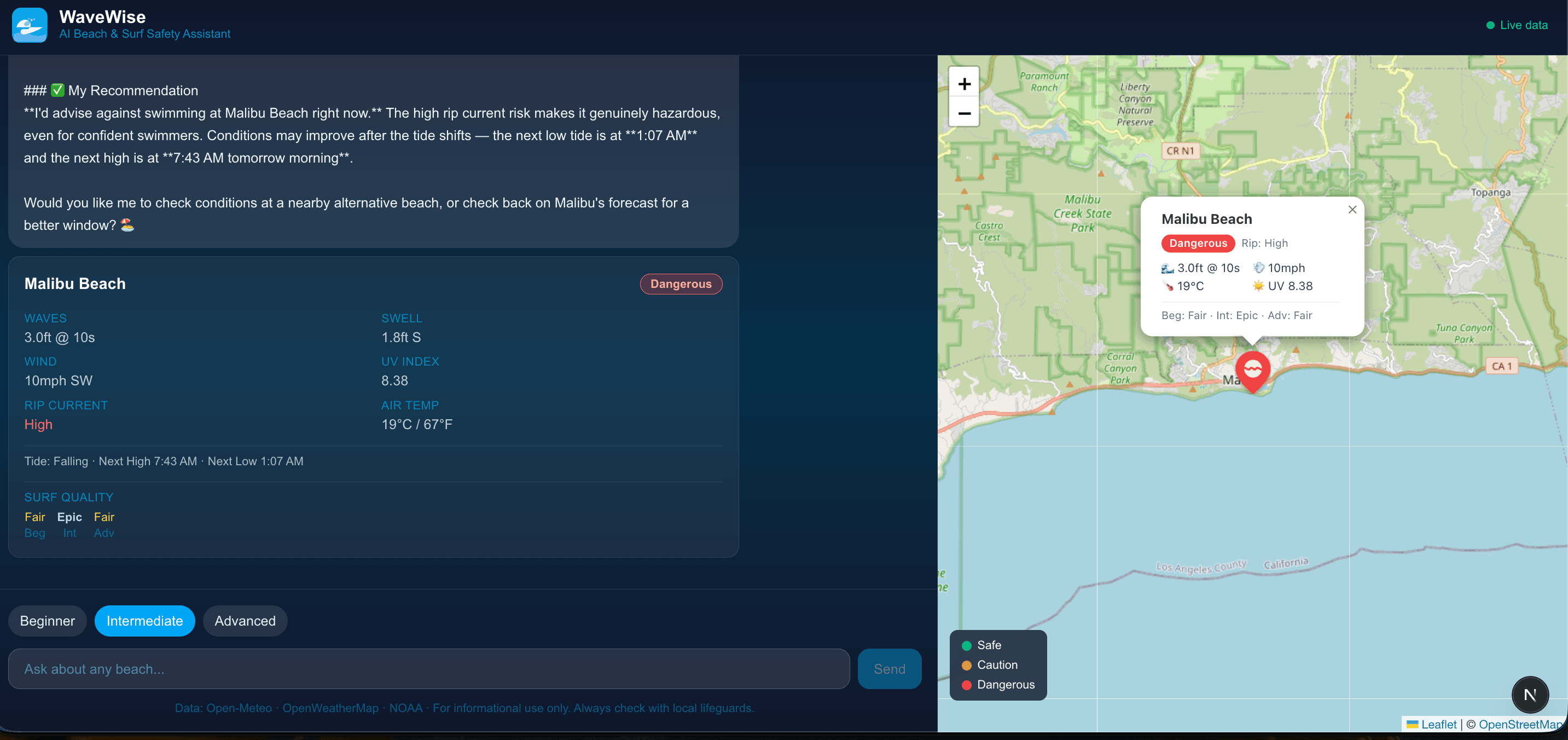
- While data loads, the chat shows what it's doing, like "Fetching live conditions for Malibu Beach…"
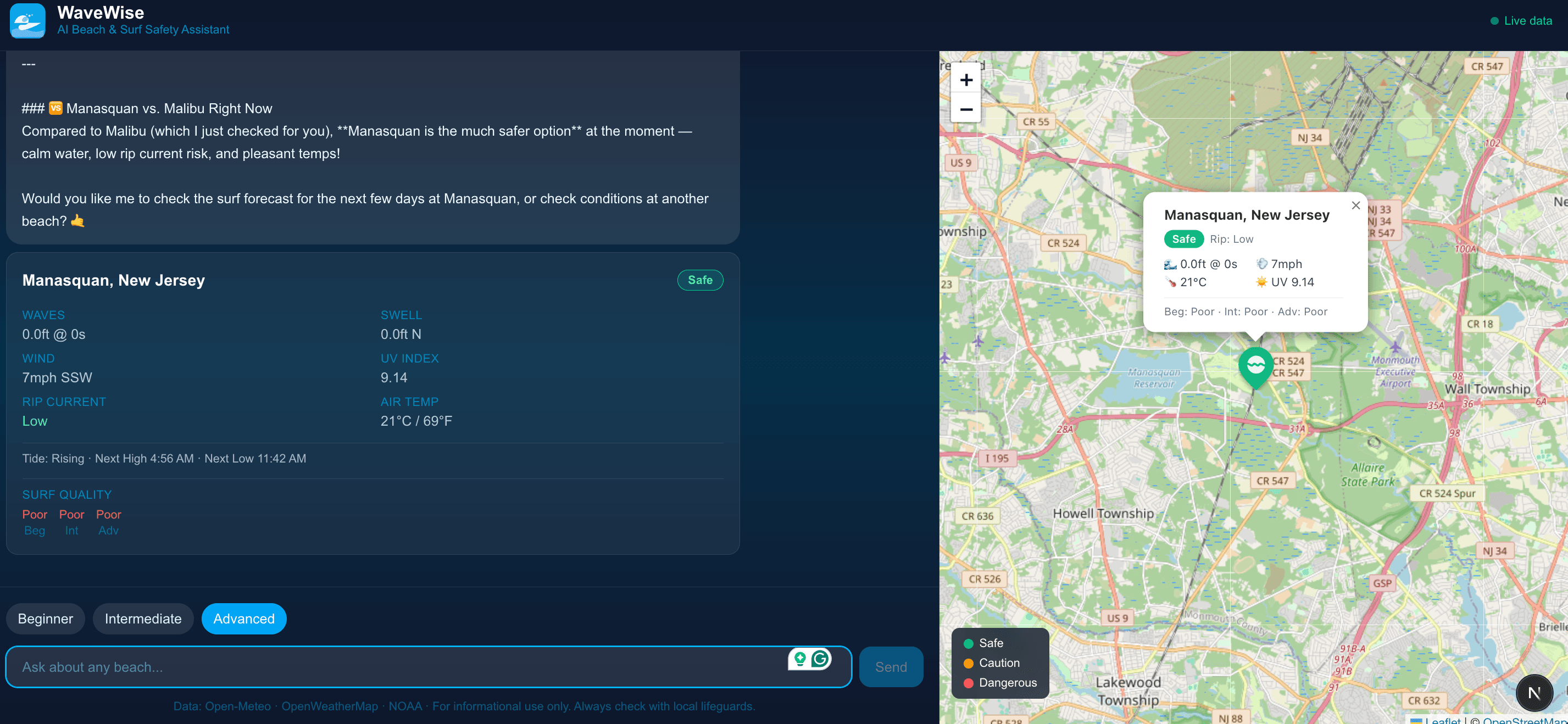
- Each answer comes with a conditions card: the safety rating, rip current risk, UV index, tides and surf quality for each skill level.
- On larger screens, a Leaflet map beside the chat flies to each beach you ask about and drops a pin colored by safety rating (green, amber or red), so you can compare the beaches you've checked.
Stack
Built with Next.js, TypeScript and Tailwind CSS. The assistant uses Claude Sonnet 4.6 through the Anthropic SDK, with tool use. Responses stream to the browser as server-sent events, and the map uses Leaflet with OpenStreetMap tiles.